Stay informed with the latest IT tips
Cybersecurity advice and exclusive resources from the Andisa team, straight to your inbox.
To view reports for your calls, log on to your client portal. This can be found at http://cloudcalling.co.uk. Contact Andisa for your log on credentials.
You will see a screen similar to the one below.
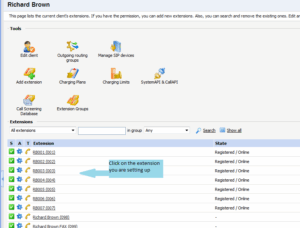
(Clicking on the other extensions exposes settings that could prevent your phones from working! Be carefull).
Click on “Incoming Call Rules”
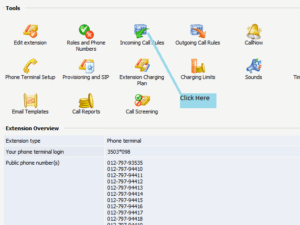
Click here to enable or disable
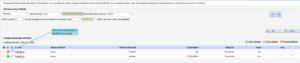
Then select which rule should be active.
Afterwards, DO NOT CLICK ON OK! – This generates an additional rule.
Simply click logout at the top right of the screen.
Note:
If you select both rules then the first rule to divert to internal extensions will operate.
If you disable both rules then no phones will ring.







